Data Analytics
Power BI Dashboards and Analytics
Course Overview
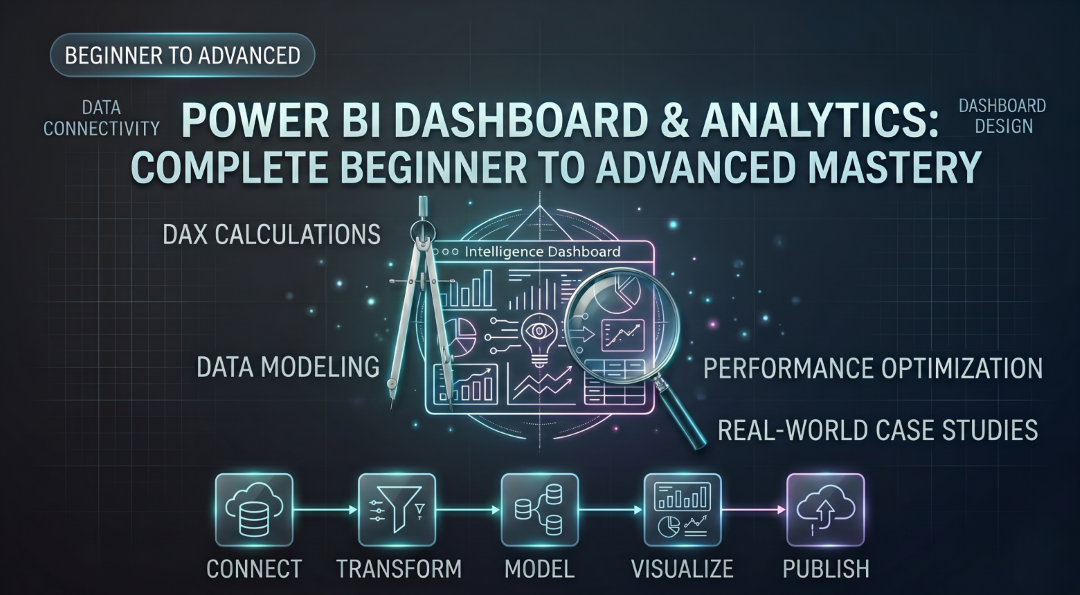
Master Power BI from beginner to advanced: build professional BI and data analytics skills. This course covers data connectivity, Power Query, data modeling, DAX, dashboard design, and report publishing. Hands-on assignments and case studies teach you to transform raw data into actionable insights, master advanced analytics, and optimize performance. Confidently create, deploy, and manage enterprise-grade Power BI solutions.
Course Prerequisites
- Basics of logical thinking
- Willing to learn something
Training Curriculum
Get introduced to Business Intelligence, Data Analytics, and the Power BI ecosystem. Learn the Power BI interface, workflow, and core concepts needed to begin your analytics journey.
Learn how to connect Power BI to various data sources including Excel, CSV, SQL databases, web sources, and folders. Understand different connectivity and storage modes for efficient data access.
Master data cleaning, transformation, and preparation using Power Query. Build professional ETL workflows by transforming raw data into analysis-ready datasets.
Learn how to design scalable data models using fact and dimension tables, relationships, and schema design. Understand best practices for creating enterprise-grade analytics models.
Build a strong foundation in DAX by creating calculated columns, measures, and KPIs. Learn essential functions for performing business calculations and data analysis.
Explore advanced DAX concepts including filter context, CALCULATE, iterators, and time intelligence functions. Create dynamic analytical measures for executive-level reporting.
Learn visualization best practices and create impactful reports using charts, tables, KPIs, and maps. Transform data into meaningful insights through effective storytelling.
Develop interactive dashboards using slicers, drill-throughs, bookmarks, buttons, and custom tooltips. Enhance user engagement with advanced navigation and dynamic reporting features.
Improve dashboard aesthetics and usability through themes, conditional formatting, KPI highlighting, and dynamic visual elements. Create polished, executive-ready reports.
Learn how to publish, manage, and share reports using Power BI Service. Explore workspaces, apps, security settings, collaboration tools, and automated data refresh.
Understand performance tuning techniques for Power BI reports and datasets. Optimize DAX, data models, and queries to build fast, scalable, and efficient solutions.
Practical Projects
Gain confidence by shipping code to production in these real-world projects:
- Retail Sales Dashboard
- Executive KPI Dashboard
- Business Performance Dashboard
Frequently Asked Questions
Yes. You will receive an e-certificate that is cryptographically verifiable on this platform, and a printed certificate on request during graduation.
The classes are live sessions hosted by certified developers, providing instant doubt resolution and code reviews.
Program Quick Specs
Duration
8 Weeks
Mode of Study
Online
Certification
Industry-Recognized
Course Fee
₹9,000.00
₹5,000.00
Upcoming Batch
Reserve your seat for the next batch starting on
06 July, 2026 Limited seats availableRegister for Course
Enroll today to reserve your seat. Our admissions desk will call you.